
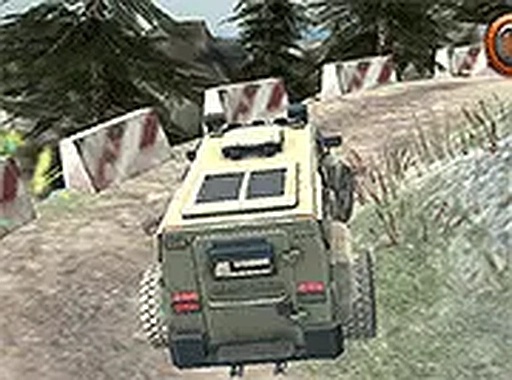
Highland Offroad Expedition
Trusted instant play — no download required.
Reviews
Highland Offroad Expedition stands out for its commitment to realistic terrain interaction. The vehicle's weight and traction change noticeably on mud versus gravel, forcing deliberate driving decisions. Track design gradually introduces steeper slopes and trickier surfaces, keeping the experience fresh without overwhelming newcomers. The clean visual style and responsive audio feedback help drivers read the road ahead. It is a focused, family-friendly simulation that respects the player's time and skill.
About this game
Terrain and Track Design
The mountain routes in this simulation are built to test a driver's ability to read the land. Steep climbs, loose gravel, and muddy sections appear in varied sequences, requiring constant adjustments in speed and steering angle. Each track presents a distinct combination of slopes and surfaces, so no two runs feel exactly the same. The environment is rendered with enough detail to spot ruts and slippery patches before committing to a line. This focus on visual cues helps players plan their approach, much like real offroad navigation.
Vehicle Dynamics and Control
The SUV responds to every input with noticeable weight and inertia. Acceleration must be modulated to avoid wheel spin on loose ground, while braking distances increase on downhill stretches. The steering model accounts for surface traction, meaning sharp turns on mud can cause the vehicle to slide. Players soon learn that smooth, gradual inputs yield better progress than aggressive maneuvers. This system rewards patience and precision, turning each successful ascent into a small achievement.
Progression and Challenge
As players complete routes, new tracks become available, each with steeper gradients or more complex surface changes. The difficulty curve is gentle but persistent, ensuring that beginners can build skills without frustration while experienced drivers find enough nuance to stay engaged. There is no timer pressure; the main goal is reaching the exit point without getting stuck. This design encourages experimentation with different driving lines and throttle patterns.
Visual and Audio Atmosphere
The graphics present a clear view of the terrain, with textures that distinguish between mud, rock, and grass. Shadows and lighting shift as the vehicle moves through valleys and ridges, adding to the sense of altitude. Engine sounds respond to load and incline, providing audio feedback that helps gauge traction. The overall presentation is clean and functional, avoiding unnecessary distractions so the driver can focus on the path ahead.
Accessibility and Platform
Built for desktop browsers, the game requires no downloads or installations. Full screen mode is available for an immersive view. Controls are simple—keyboard or mouse—but the underlying physics demand thoughtful use. This combination of easy access and deep mechanics makes it suitable for quick sessions or longer practice runs. The experience remains family-friendly throughout, with no violent or mature content.








Player comments
Sign in to leave a review
You must be logged in before posting a rating or comment.
No account? Create one
No comments yet. Be the first to comment!