
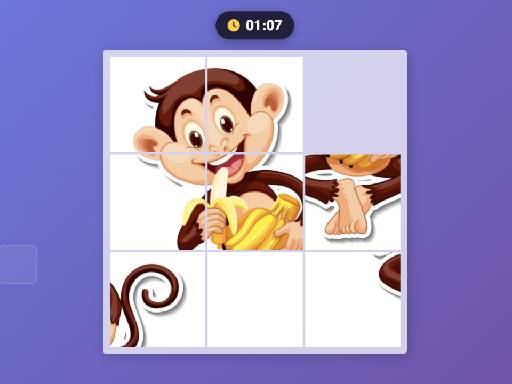
Interactive Picture Puzzle
Trusted instant play — no download required.
Reviews
This online puzzle game delivers a straightforward and enjoyable experience. The ability to choose different images and adjust the piece count makes it suitable for both quick breaks and longer sessions. The responsive design works flawlessly on any device, and the lack of registration is a major plus. The timer and move counter add a nice touch for those who like to track their progress, but the game remains stress-free without any time pressure. It is a solid choice for anyone looking for a calm, brain-teasing activity.
About this game
Game Introduction
This online picture puzzle offers a relaxing and engaging experience for players of all ages. The core objective is to correctly arrange scattered pieces to form a complete image. Built using modern web technologies, the game runs directly in a browser without any downloads or installations. It provides a selection of different picture sets, giving players variety in their puzzle-solving sessions. The difficulty can be adjusted by choosing from various grid sizes, making it accessible for beginners while still offering a challenge for experienced players. The interface is designed to be intuitive, with smooth visual feedback as pieces are moved. A timer and a move counter are included to help players monitor their performance, adding a layer of self-improvement to the experience. The game is fully responsive, meaning it works seamlessly on computers, tablets, and smartphones, making it a convenient choice for casual play at home, in a classroom, or during a break. Its straightforward design ensures that anyone can start playing immediately without needing to learn complex rules.
How to Play
Players begin by selecting a puzzle set and a difficulty level, which determines the number of pieces. The game presents a scrambled collection of these pieces on the screen. To solve the puzzle, players click or tap on a piece to select it, then click or tap on another piece or an empty slot to swap their positions. The goal is to rearrange all pieces until they form the correct picture. The process relies on observation, pattern recognition, and spatial reasoning. The timer starts automatically when the game begins, and the move counter records each swap, allowing players to track their efficiency. There are no time limits or penalties, so players can proceed at their own pace. The game is designed to be straightforward, with clear visual cues indicating which piece is selected and where it can be placed.
Game Features
The game includes multiple picture sets to provide variety. A key feature is the adjustable difficulty, which lets players choose from different piece counts to match their skill level. The built-in timer and move counter allow players to track their progress and challenge themselves to improve. The interface is fully responsive, ensuring a consistent experience across desktop and mobile browsers. The game uses smooth animations for piece movement, enhancing the visual appeal. It requires no registration, login, or downloads, making it instantly accessible. The simple, clean design focuses attention on the puzzle itself, creating a distraction-free environment.
Tips for Success
Beginners may find it helpful to start with a smaller puzzle to get comfortable with the swapping mechanics. A common strategy is to first assemble the outer border by finding and connecting edge pieces. This creates a frame that makes it easier to fill in the center. Using the move counter to gauge efficiency can be useful, but taking time to observe patterns is more important than speed. Regular practice with different images can improve pattern recognition and problem-solving skills.








Player comments
Sign in to leave a review
You must be logged in before posting a rating or comment.
No account? Create one
No comments yet. Be the first to comment!