
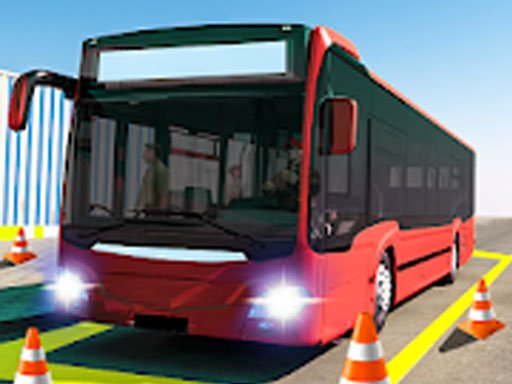
City Coach Parking Simulator 3D
Trusted instant play — no download required.
Reviews
City Coach Parking Simulator 3D offers a relaxing yet challenging experience for players who enjoy precision driving tasks. The 3D environments are well-designed, and the controls feel responsive. The gradual difficulty curve keeps you engaged without causing frustration. It is a perfect choice for short gaming sessions or longer practice periods. The lack of violence or inappropriate content makes it suitable for all ages. Overall, a solid and enjoyable parking simulation game.
About this game
Game Introduction
City Coach Parking Simulator 3D places you in the driver’s seat of a full-sized coach. Your main goal is to navigate through varied routes and park the vehicle accurately in designated spots. The game presents a realistic 3D world where you must follow traffic rules and avoid obstacles. Each parking task requires careful planning and precise control. The environment includes tight spaces, curves, and busy areas that test your ability to maneuver a large vehicle. This simulator is designed to be accessible for beginners while still offering enough depth for experienced players. It focuses on skill development through repetition and gradual challenge. The content is entirely family-friendly, with no violent or inappropriate elements. Players can enjoy a calm, focused experience that rewards patience and attention to detail. The game is free to play online and requires no downloads or installations.
How to Play
To start, choose a mission from the available selection. You will control the coach using on-screen buttons or tilt controls, depending on your device. Your objective is to drive the coach along a set path and park it within a marked zone. You must follow directional signs and avoid hitting barriers or other objects. The game provides visual cues to help you judge distances and angles. As you complete each parking task, you earn points and unlock more difficult missions. The controls are designed to be intuitive, allowing players of all ages to pick up the game quickly. Success depends on steady steering and careful observation of your surroundings.
Game Features
This free online simulator offers a realistic 3D driving environment with detailed coach models. It includes a series of parking missions that gradually increase in difficulty. The controls are simple and responsive, making the game easy to learn. All content is safe for children and families, with no mature themes. The game encourages the development of spatial awareness and hand-eye coordination. Players can practice at their own pace without time pressure. The visual design is clear and colorful, helping players focus on the parking task.
Tips for Success
Take your time to understand the size of your coach and how it responds to steering. Use the camera angles to check your position from different views. Practice reversing and turning in open areas before attempting tight parking spots. Pay attention to the parking zone markers and approach them slowly. Consistent practice will help you judge distances more accurately and complete missions with fewer mistakes.








Player comments
Sign in to leave a review
You must be logged in before posting a rating or comment.
No account? Create one
No comments yet. Be the first to comment!