Royal Stylist Fashion Studio
Review
Royal Stylist Fashion Studio offers a charming and safe creative outlet for children. The makeup and wardrobe customization are intuitive, allowing kids to experiment freely. The photo feature adds a nice touch for sharing creations. It is ad-free and simple to use on any device, making it a trustworthy choice for parents.
Full story
Game Introduction
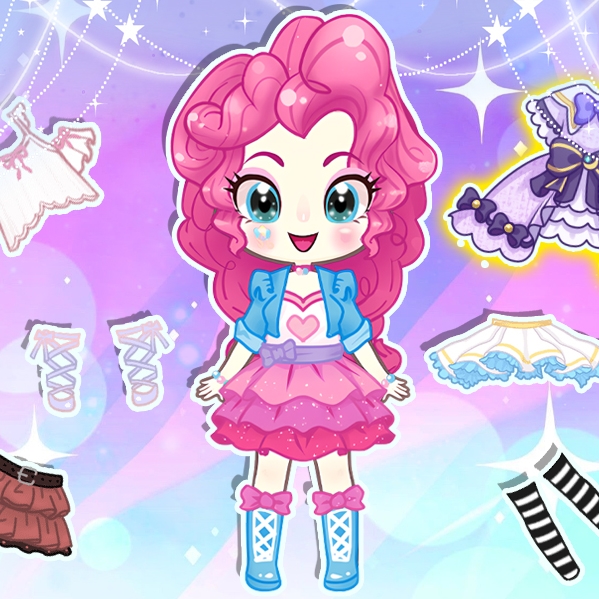
This interactive fashion experience invites players to assist a young royal in preparing for an important evening event. The core objective is to use a variety of styling tools to create a complete look, starting with facial features and moving on to clothing and accessories. The game stands out for its focus on creative expression within a safe, age-appropriate setting. Players can experiment with different combinations of hairstyles, eye shapes, and expressions before selecting from a range of dresses, tops, skirts, and decorative items. A photo feature allows players to capture their finished designs against themed backgrounds. Designed for children aged three and older, the game encourages imaginative play and personal style exploration without any distracting elements.
How to Play
Players typically begin by accessing a makeup menu where they can customize the character's face by choosing from various eyebrow shapes, eye styles, hairstyles, and facial expressions. After finalizing the facial features, the next step involves moving to a wardrobe section. Here, players can browse through a selection of dresses, tops, skirts, and accessories such as tiaras, necklaces, and shoes. The interface is designed for simple point-and-click or touch interactions, making it easy for young children to navigate. Once an outfit is complete, players can use a photo feature to select a background and take pictures of their styled character. The game is compatible with most modern browsers and devices, including PCs, tablets, and smartphones.
Game Features
The game includes a creative dress-up and makeup system that allows for extensive customization. Controls are simple and intuitive, supporting both mouse and touch input for use on various devices. The content is family-friendly and designed to be safe for young audiences, with no advertisements or in-app purchases. The gameplay encourages creativity and self-expression through fashion choices. A built-in photo feature lets players capture and view their designs with different backgrounds, adding a layer of fun and personalization.
Tips for Success
To achieve a harmonious look, start by experimenting with makeup options before selecting an outfit. Try coordinating accessories with the dress color for a polished appearance. Use the photo feature to view the character from different angles and backgrounds. Do not hesitate to mix unexpected items, as unique combinations can often produce the most memorable results. The most important tip is to enjoy the process and let imagination guide the styling decisions.